St. Mary’s College of Maryland students, faculty, and staff can access the SMCM Virtual Lab (Apporto) from almost any device, including Windows/Mac/Linux desktops, Chromebooks, tablets, and iPads.
Publicly-Available Desktops
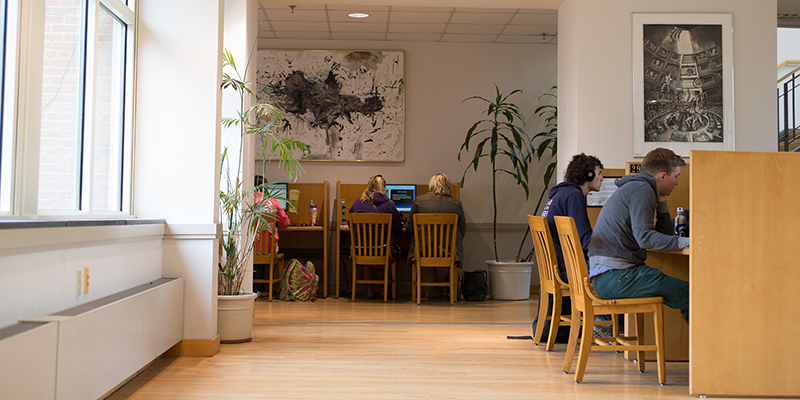
Desktop Windows computers are located on the first and second floor of the Hilda C. Landers Library and are available for use by students, faculty, staff, and community patrons. There is also a “quick use” desktop available at the Circulation Desk. Students, faculty, and staff can log in using their St. Mary’s College of Maryland email username and password. Community patrons must ask for a guest login at the Circulation Desk.
Alumni and community patrons can access online resources and databases while on campus. They cannot fully access the Hilda C. Landers Library’s online resources and databases while off-campus. For more information, you can learn more about alumni and community patron online resource access.
There is also a computer lab in LI 112, located in the Library Annex, that is available to St. Mary’s College of Maryland students from 5:00 p.m.–8:00 a.m. weekdays and 24 hours on weekends via OneCard swipe access.
The following software is available on the desktop computers in the Hilda C. Landers Library and in the LI 112 computer lab:
- Google Chrome and Microsoft Edge
- Microsoft Word, Excel, PowerPoint, and Publisher
- IBM SPSS
- Adobe Acrobat Pro, Photoshop, and Lightroom
- EndNote
- R and RStudio
- VLC Media Player
- Zoom
Chromebooks
Only current St. Mary’s College of Maryland students may borrow Chromebooks. Chromebooks are available on a first-come, first-served basis at the Circulation Desk and have a semester-long loan period with a fixed due date of May 1 or December 1. Chromebooks cannot be renewed online. There is a daily overdue fine of $10.00 per day, and after seven days overdue there is a “lost” fee of $500.
The following software is available on the Hilda C. Landers Library’s Chromebooks:
- Google Chrome
- Microsoft 365 Word, Excel, and PowerPoint
- Zoom
Questions?
Still have questions about Hilda C. Landers Library computers and software? Ask at the Circulation Desk or submit a question online via our FAQ page.